
Tamara Payment Gateway
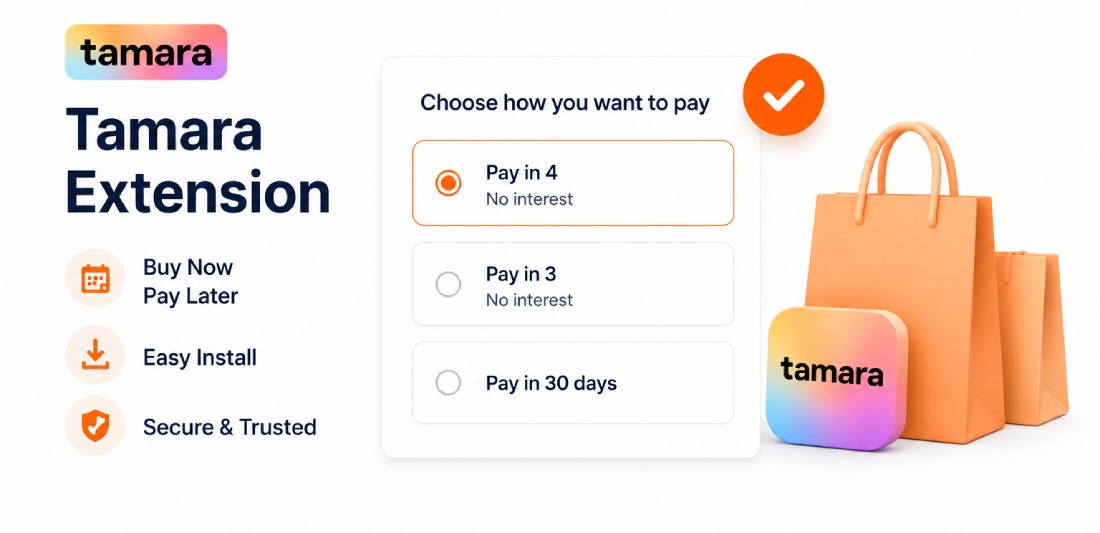
Tamara Payment Gateway
Tamara is the leading Buy Now Pay Later (BNPL) payment solution across the GCC region.
This official Magento 2 module lets customers split any purchase into interest-free instalments
across Saudi Arabia, UAE, Kuwait, Bahrain, Qatar and Oman.
✔ 4 payment types: Pay Now, Pay Later, Pay Next Month, and Instalments (2-12 months)
✔ 6 GCC countries: Saudi Arabia (SAR), UAE (AED), Kuwait (KWD), Bahrain (BHD), Qatar
(QAR), Oman (OMR)
✔ PDP and Cart instalment widgets to boost conversions before checkout
✔ Auto capture, refund and cancellation directly from Magento admin
✔ Cron job to auto-authorise approved orders and cancel expired/declined orders
✔ Webhook / IPN notification support with Notification Token validation
✔ Credit pre-check at checkout - hides Tamara if customer does not qualify
✔ Sandbox environment for safe testing before going live
✔ Compatible with Magento 2.3 and all Magento 2.4.x including latest
✔ PHP 7.1 through 8.4 compatible
Feature Highlights
Everything You Need to Convert More
Explore product capabilities in detail.
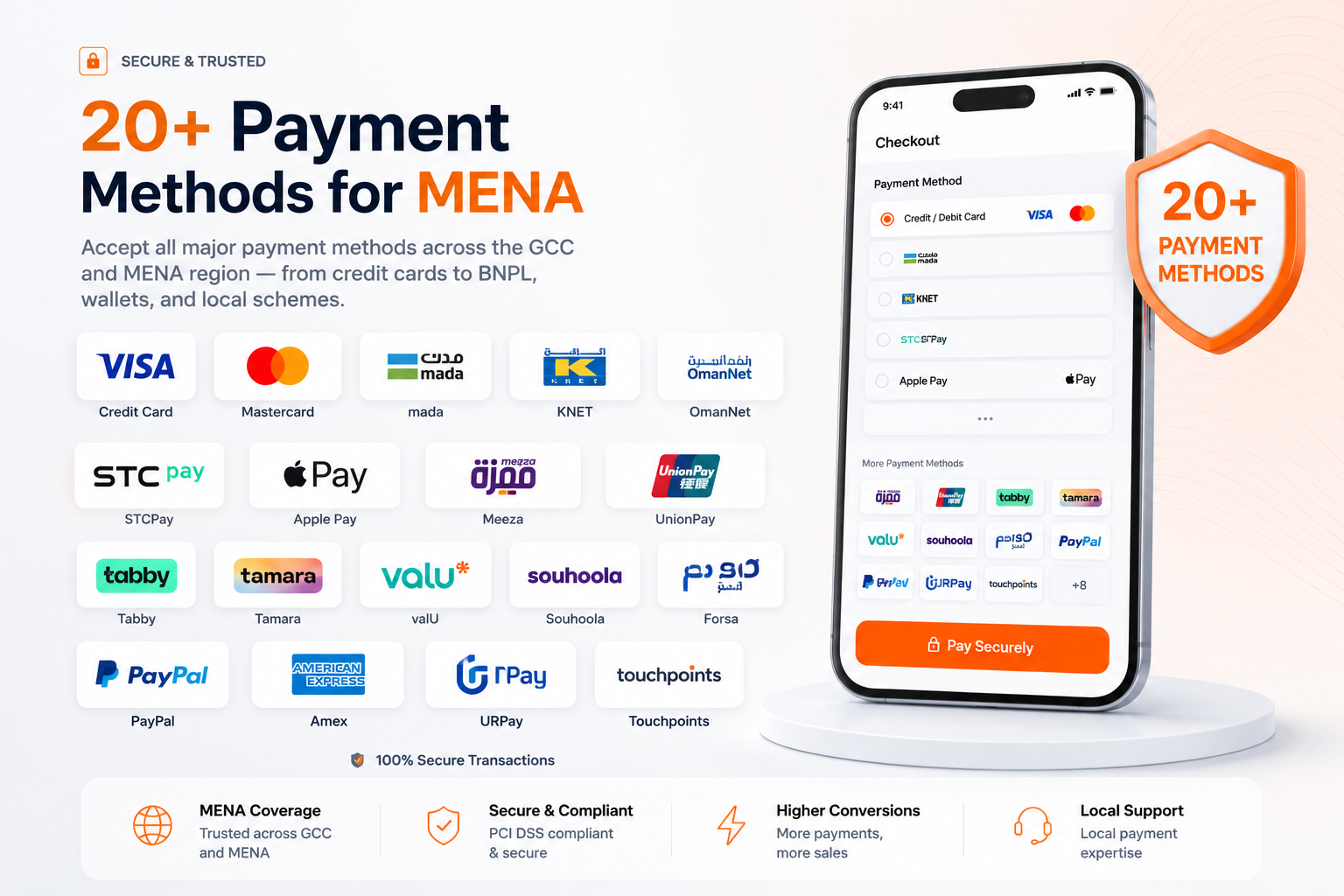
20+ Payment Methods for MENA
Accept all major payment methods across the GCC and MENA region — from credit cards to BNPL, wallets, and local schemes.
- Credit Card, mada, KNET, OmanNet
- STCPay, Apple Pay, Meeza, UnionPay
- Tabby & Tamara (Buy Now Pay Later)
- valU, Souhoola, Forsa installments
- PayPal, Amex, URPay, Touchpoints
Built-in Hyvä Theme Compatibility
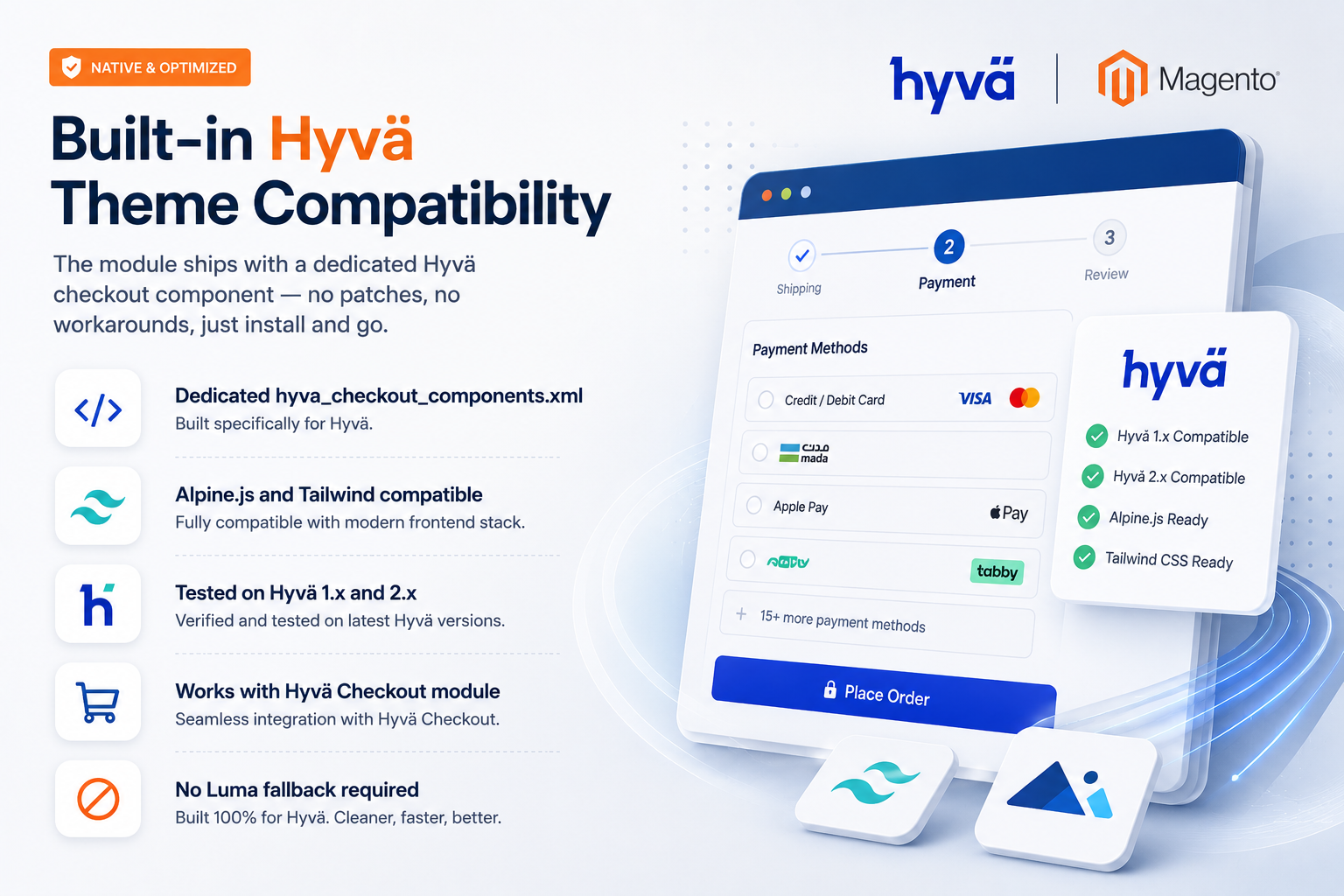
The module ships with a dedicated Hyvä checkout component — no patches, no workarounds, just install and go.
- Dedicated hyva_checkout_components.xml
- Alpine.js and Tailwind compatible
- Tested on Hyvä 1.x and 2.x
- Works with Hyvä Checkout module
- No Luma fallback required
Bank-Grade Security & Compliance
PayTabs is a fully PCI DSS Level 1 certified payment gateway, ensuring the highest level of security for every transaction.
- PCI DSS Level 1 certified
- 3D Secure authentication
- Fraud detection & prevention
- Tokenization via Magento Vault
- Iframe mode for on-site payments
Full Control From Magento Admin
Manage every aspect of PayTabs from within your Magento backend — no need to log into a separate portal for daily operations.
- Enable/disable each payment method separately
- Full & partial refunds from order view
- Per-method currency selection
- IPN callback configuration
- Order status mapping per method
Install in Minutes via Composer or FTP
Get PayTabs running on your Magento store in under 5 minutes using Composer or a simple FTP upload — no coding required.
- composer require paytabs/magento2
- Or upload to app/code/PayTabs/PayPage
- Run setup:upgrade and cache:clean
- Configure Profile ID and Server Key
- Enable preferred payment methods
Serve Customers Across the Entire MENA Region
Choose the correct PayTabs endpoint for your country to ensure compliance with local payment regulations and best performance.
- UAE endpoint (ARE)
- Saudi Arabia endpoint (SAU)
- Kuwait / Global endpoint
- Oman endpoint (OMN)
- Egypt endpoint (EGY)
Complete Tamara Magento Configuration
Configure Tamara directly from Magento Admin with complete control over API credentials, checkout settings, payment actions, order statuses, synchronization and customer access.
Get Started
Access the Tamara configuration from Magento Admin by navigating to Stores > Configuration > Sales > Payment Methods > Tamara Checkout.
- Open Magento Admin
- Go to Stores > Configuration
- Open Sales > Payment Methods
- Select Tamara Checkout
API Configuration
Configure the Tamara API connection and authentication details required to connect your Magento store with Tamara.
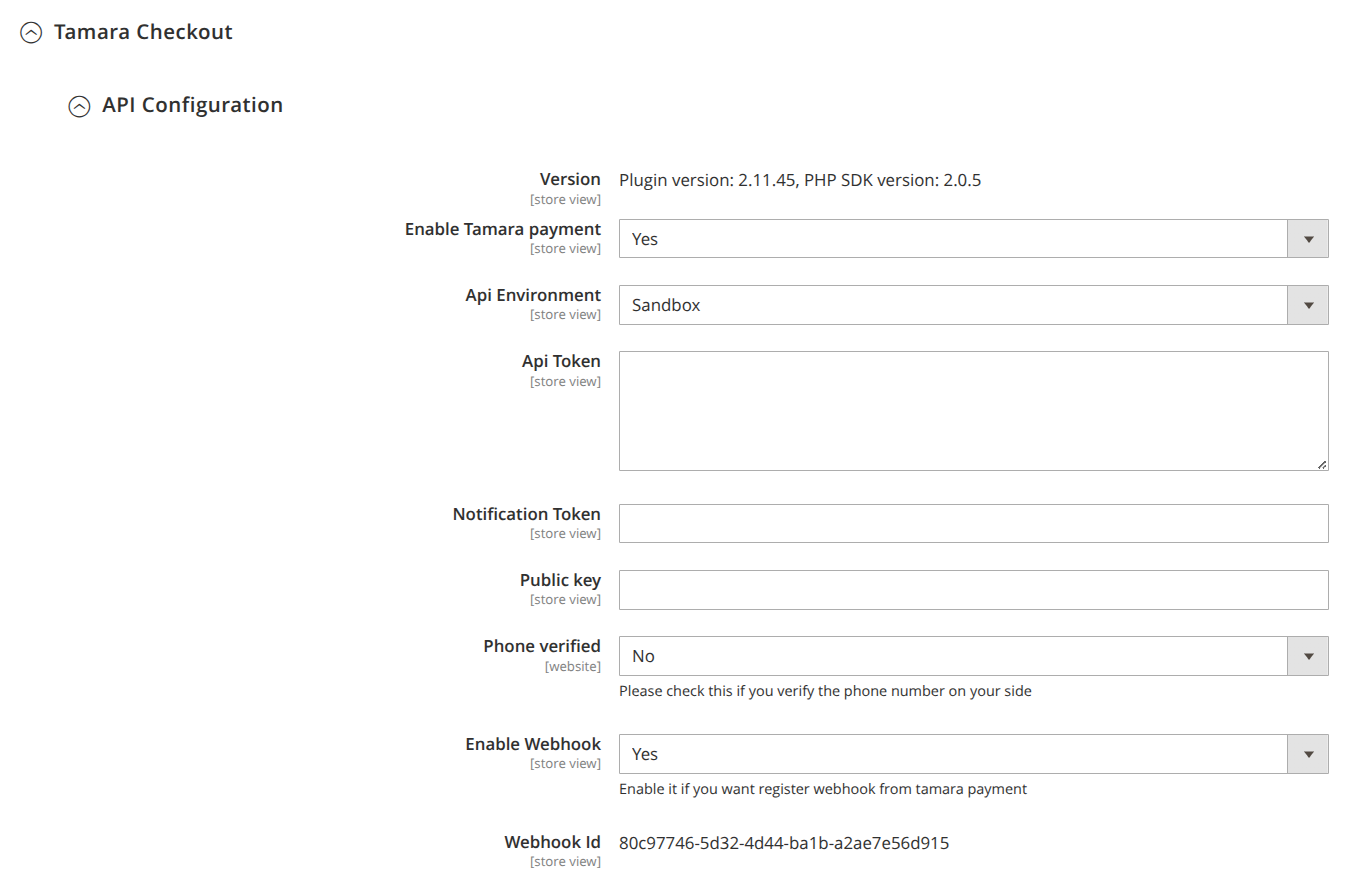
- View the installed plugin and PHP SDK version
- Enable or disable Tamara
- Select Sandbox or Production environment
- Configure API Token
- Configure Notification Token
- Configure Public Key
- Configure Phone Verification
- Enable or disable Webhook
- View Webhook ID after saving the Webhook configuration
Basic Configuration
Configure the main Tamara checkout behavior, payment actions, customer restrictions, redirect URLs, product widgets and invoice settings.
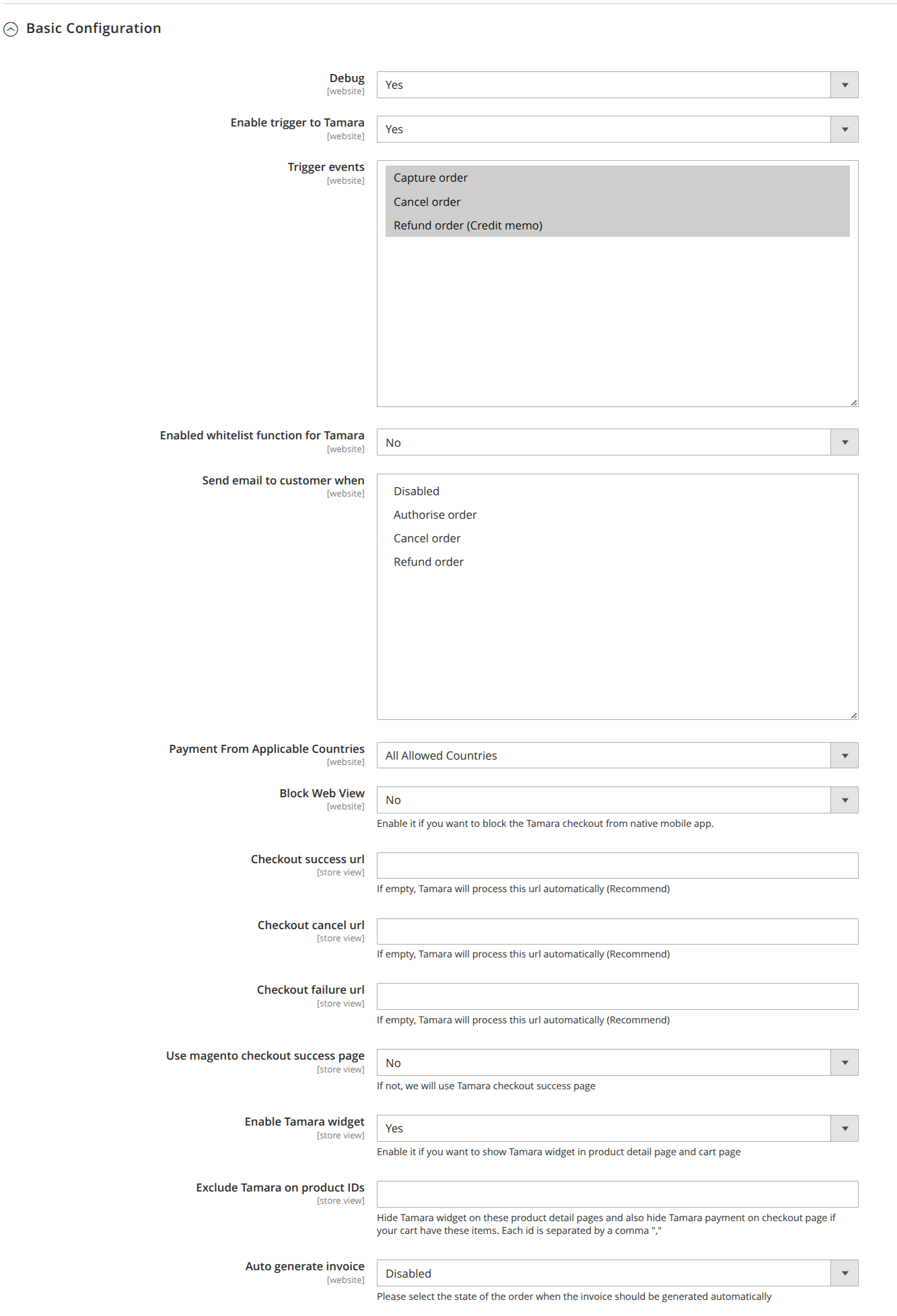
- Enable or disable Debug logging
- Configure automatic Capture, Cancel and Refund actions
- Enable customer whitelist
- Configure customer email notifications
- Configure allowed countries
- Block Tamara inside native mobile applications when required
- Configure Checkout Success URL
- Configure Checkout Cancel URL
- Configure Checkout Failure URL
- Choose the Magento or Tamara success page
- Enable Tamara product widget
- Exclude specific product IDs
- Configure automatic invoice generation
Checkout Order Statuses
Map Tamara checkout events to Magento order statuses so orders automatically move to the appropriate state.
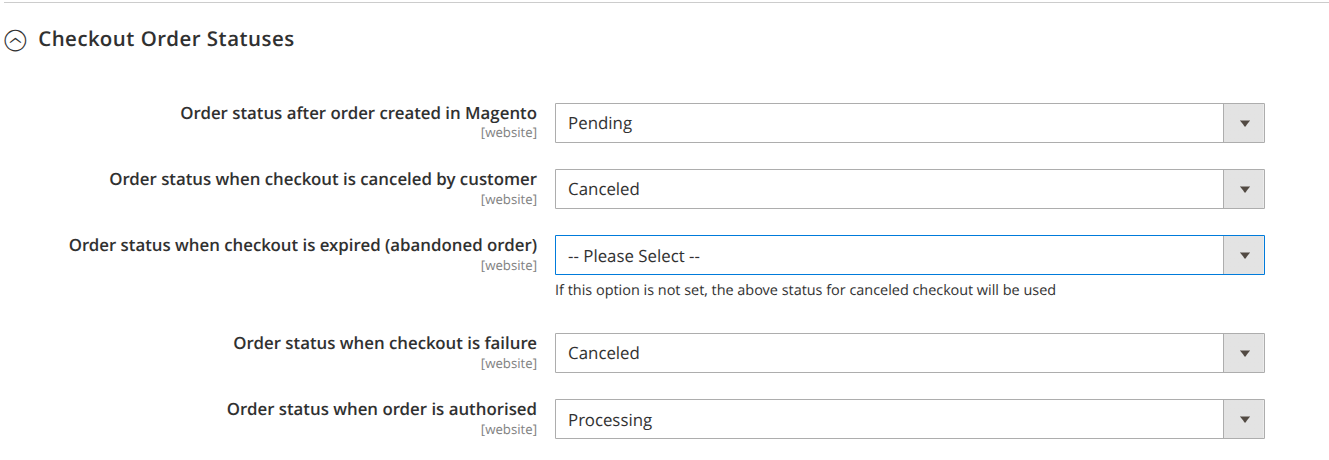
- Configure the order status after order creation
- Configure the status for customer cancellation
- Configure the status for checkout expiration
- Configure the status for failed or declined payments
- Configure the status for authorized orders
Capture Payment
Configure the Magento order status that should trigger the Tamara Capture API and automatically capture the authorized payment.
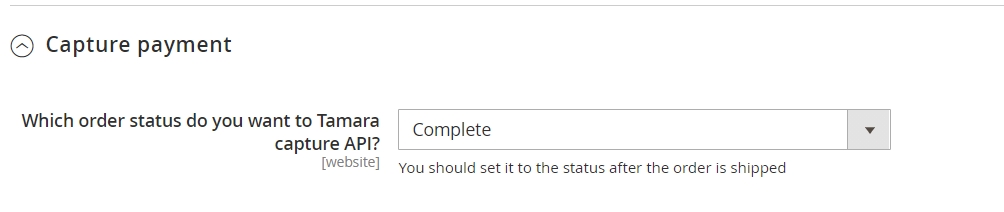
- Select the Magento order status that triggers Capture
- Automatically send the Capture API request
- Capture the payment when the configured order status is reached
Console Configuration
Configure the order status used by the Tamara console process to identify orders that should trigger the Refund API.

- Select the Magento order status that triggers Refund
- Allow the console process to identify eligible orders
- Automatically process the Tamara Refund API for matching orders
Order Status Synchronization
Keep Magento order statuses synchronized with Tamara by enabling the scheduled order synchronization process.
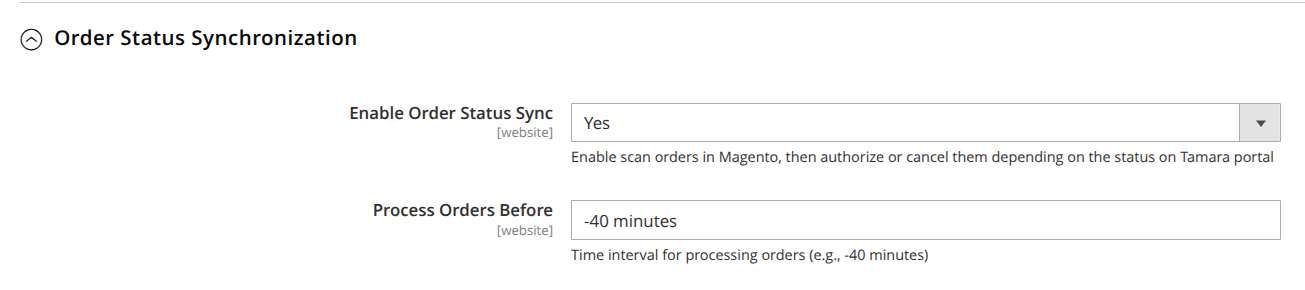
- Enable or disable Tamara Order Status Sync
- Configure the order synchronization cron
- Configure the Process Orders Before time period
- Scan previous Tamara orders for status changes
- Update Magento orders according to their latest Tamara status
Whitelist Accounts
Control which customer email addresses are allowed to use Tamara by managing the Tamara customer whitelist from Magento Admin.
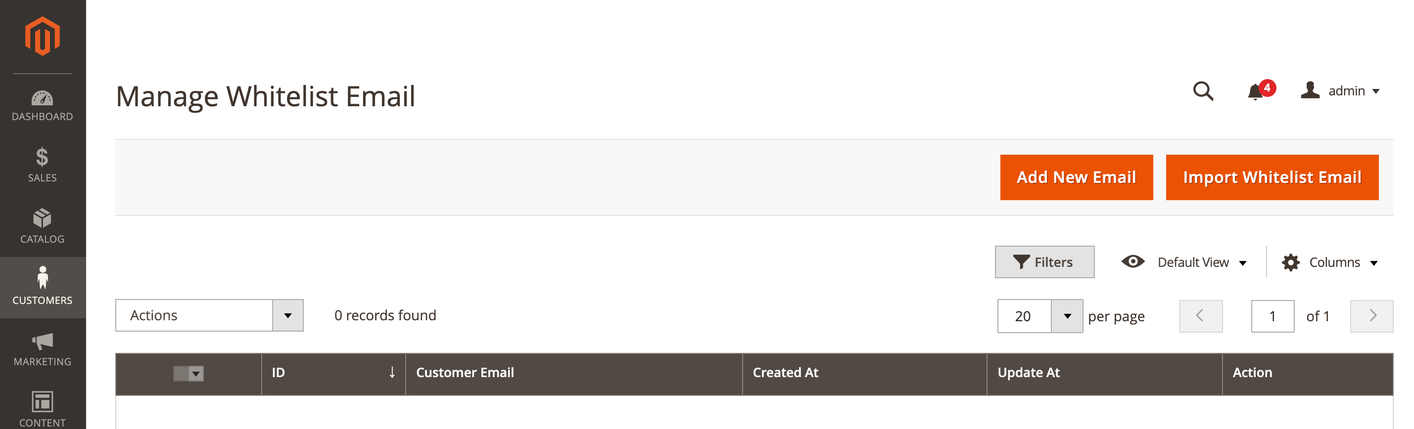
- Open Customers > Tamara Whitelist
- Add a new customer email address
- Allow selected customers to use Tamara
- Use whitelist functionality for testing before enabling Tamara for all customers
Why Choose Us
Built for Results, Not Just Features
Every aspect of this extension is engineered to drive measurable business outcomes for your store.
Multiple Payment Methods
Accept Credit Card, mada, STCPay, Apple Pay, KNET, Tabby, Tamara & more
Secure & PCI Compliant
Bank-grade security with full PCI DSS compliance and fraud detection
Multi-Region Support
Supports UAE, Saudi Arabia, Kuwait, Oman, Egypt, Jordan and more
Full Refund Control
Full and partial refunds directly from Magento admin panel
Hyvä Compatible
Fully compatible with Hyvä theme out of the box — no extra work needed
Easy Installation
Install via Composer or FTP in minutes with zero coding required
Full Details
Product Description
──────────────────────────────────────────────────────────
INSTALLATION COMMAND
──────────────────────────────────────────────────────────
# Method 1 — Composer (recommended)
composer require tamara-solution/magento:~1.0
php bin/magento module:enable Tamara_Checkout
php bin/magento setup:upgradephp bin/magento setup:di:compile
php bin/magento setup:static-content:deploy -f
php bin/magento cache:flush
# Method 2 — Manual
FTPmkdir app/code/Tamara/Checkout
# Upload files to app/code/Tamara/Checkout/composer
require tamara-solution/php-sdk
php bin/magento setup:upgrade && cache:flush
Compare Editions
| Feature | Standard | Professional | Ultimate |
|---|---|---|---|
| Credit Card payments | ✓ | ✓ | ✓ |
| mada (Saudi Arabia) | ✓ | ✓ | ✓ |
| STCPay | ✓ | ✓ | ✓ |
| Apple Pay | ✓ | ✓ | ✓ |
| KNET (Kuwait) | ✓ | ✓ | ✓ |
| Tabby (Buy Now Pay Later) | ✕ | ✓ | ✓ |
| Tamara (BNPL) | ✕ | ✓ | ✓ |
| valU installments (Egypt) | ✕ | ✓ | ✓ |
| Iframe mode checkout | ✓ | ✓ | ✓ |
| Vault / tokenization | ✓ | ✓ | ✓ |
| Full & partial refunds | ✓ | ✓ | ✓ |
| IPN callback support | ✓ | ✓ | ✓ |
| Hyvä theme support | ✓ | ✓ | ✓ |
| Multi-currency support | ✓ | ✓ | ✓ |
| Multi-region endpoints | ✓ | ✓ | ✓ |
FAQ
Frequently Asked Questions
The module is fully compatible with Magento 2.4.4 through 2.4.8, including the latest release.
Yes. The module includes a dedicated Hyvä checkout component file (hyva_checkout_components.xml) ensuring full compatibility with Hyvä theme out of the box.
PayTabs supports Credit Card, mada, STCPay, Apple Pay, KNET, OmanNet, Meeza, UnionPay, PayPal, Amex, Tabby, Tamara, valU, Souhoola, Forsa, Aman, Halan, Basata, URPay, Touchpoints and more — covering the full GCC and MENA region.
You can install via Composer by running 'composer require paytabs/magento2', or via FTP by uploading the module to app/code/PayTabs/PayPage. Then run php bin/magento setup:upgrade and cache:clean.
Log in to your PayTabs merchant dashboard, navigate to Developers > Key Management, and copy your Server Key. Your Profile ID is shown on the dashboard home page.
Yes. The module supports Magento Vault (tokenization), allowing customers to securely save their card details for faster checkout on future orders.
Yes. You can enable iframe mode from the payment method settings in Magento admin, allowing the payment page to load inside your store without a full redirect.
Yes. Both full and partial refunds are supported directly from the Magento admin order view for all applicable payment methods.
PayTabs supports endpoints for UAE (ARE), Saudi Arabia (SAU), Kuwait (GLOBAL), Oman (OMN), Egypt (EGY), Jordan, and more through its global endpoint infrastructure.
Yes. IPN callback support is built in. Enable it from the admin config and copy the IPN URL shown there into your PayTabs merchant dashboard.